Last updated: October 2026
In this lesson, you will learn how to create OpenShift Services – Imperative & Declarative, and manage the services in Red Hat OpenShift Container Platform using two approaches.
You will also have practical exercises to reinforce your understanding and prepare for relevant EX280 exam topics.
Understanding The Subject Matter
You will also learn how Services communicate with application pods, how to expose applications externally using OpenShift Routes, and when to use different Kubernetes Service types.
By the end of this tutorial, you will be able to deploy an application, create a Service, verify connectivity, expose the application to external users, and manage the resources using both methods.
1. What Is a Service in OpenShift?
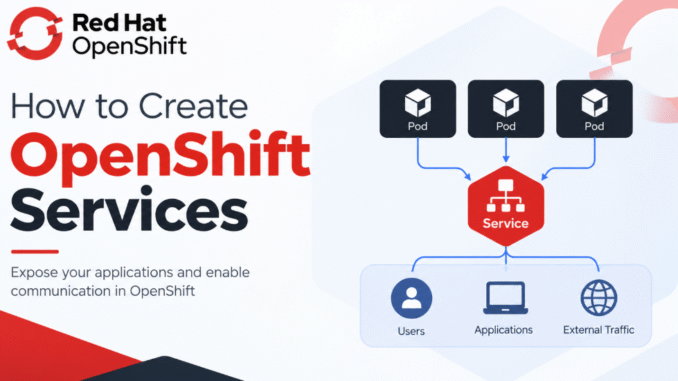
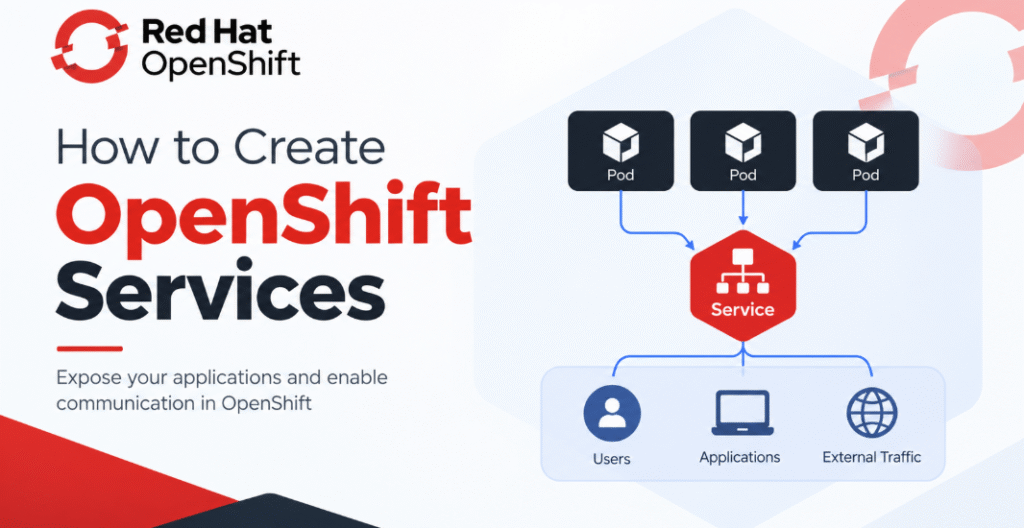
A Service is a Kubernetes resource that provides a stable network endpoint for accessing a group of application pods.
Suppose you deploy an application with three replicas. Each pod has its own IP address, and those IP addresses can change when pods are recreated or rescheduled. Connecting directly to a pod IP is therefore not a reliable way to access an application.
A Service solves this problem by providing a stable endpoint and directing traffic to eligible backend pods.
For example, the following resources have different responsibilities:
- Deployment: Manages the desired number of application replicas and their updates.
- Pod: Runs the application container.
- Service: Provides a stable endpoint and distributes traffic across eligible pods.
- Route: Provides an OpenShift-specific way to expose an application to external clients over HTTP or HTTPS.
A simplified request flow looks like this:
External client → OpenShift Route → Service → Application pod
For internal communication, another application in the cluster can access the Service directly without requiring a Route.
2. Understand the Different Service Types
Kubernetes supports several Service types. The most common ones you will encounter when working with OpenShift are ClusterIP, NodePort, and LoadBalancer.
2.1 ClusterIP Service
A ClusterIP Service exposes an application through an internal cluster IP address and DNS name. It is the default Service type.
Use it when applications need to communicate with each other inside the cluster, such as when a frontend application needs to access a backend API or database.
A ClusterIP Service is not directly exposed to external clients merely because it has an IP address.
2.2 NodePort Service
A NodePort Service exposes a port on each eligible cluster node. Clients can access the application through a node’s IP address and the assigned node port, provided that network routing and firewall rules allow the connection.
NodePort can be useful for certain testing and networking scenarios. However, the existence of a NodePort does not automatically make the application reachable from the public internet.
2.3 LoadBalancer Service
A LoadBalancer Service requests an external load balancer from the underlying platform when that platform supports the required integration.
On a supported cloud platform, the Service may receive an externally accessible IP address or hostname. On a local or on-premises cluster without a suitable load-balancer implementation, its external address may remain pending.
For on-premises environments, a solution such as MetalLB may be configured to provide load-balancer functionality.
2.4 OpenShift Route
A Route is an OpenShift resource rather than a Kubernetes Service type. It provides a hostname through which external clients can access a Service.
Routes are commonly used to publish web applications over HTTP or HTTPS. Depending on the Route’s TLS configuration, traffic can be exposed without encryption, terminated at the router, or configured with other supported TLS termination modes.
For most web applications running on OpenShift, a ClusterIP Service combined with a Route is a common and practical design.
ACTION TIME
Step By Step Guide of How To Create OpenShift Service
4. Deploy an Application for the Service Tutorial
Before creating a Service, we need an application to receive traffic.
In this example, we will deploy NGINX using an imperative command.
[tekneed@osl ~]$ oc create deployment nginx-app \
  --image=nginxinc/nginx-unprivileged:stable

deployment.apps/nginx-app created
Check the Deployment:
[tekneed@osl ~]$ oc get deployment nginx-app

NAME        READY   UP-TO-DATE   AVAILABLE   AGE
nginx-app   1/1     1            1           20s
Check the pods:
[tekneed@osl ~]$ oc get pods

NAME                         READY   STATUS    RESTARTS   AGE
nginx-app-7c9b6d8f5c-x2abc   1/1     Running   0          25s
The NGINX unprivileged image listens on port 8080 by default. We will use this as the application’s target port in the next steps.
5. Create a Service Using Imperative Commands
An imperative approach creates or modifies resources directly through CLI commands. It is useful for learning, troubleshooting, testing, and making quick changes.
5.1 Create an internal Service
Run the following command:
[tekneed@osl ~]$ oc expose deployment nginx-app \
  --name=nginx-service \
  --port=80 \
  --target-port=8080

service/nginx-service exposed
Here is what the options mean:
deployment nginx-appidentifies the Deployment whose pods should receive traffic.--name=nginx-servicespecifies the name of the new Service.--port=80specifies the port exposed by the Service.--target-port=8080specifies the port on the application containers.
The Service listens on port 80 and forwards traffic to port 8080 on the selected pods.
Verify the Service:
[tekneed@osl ~]$ oc get service nginx-service

NAME            TYPE        CLUSTER-IP      EXTERNAL-IP   PORT(S)   AGE
nginx-service   ClusterIP   172.30.45.120   <none>        80/TCP    10s
Get additional details:
[tekneed@osl ~]$ oc describe service nginx-service

Name:              nginx-service
Namespace:         services-demo
Labels:            app=nginx-app
Selector:          app=nginx-app
Type:              ClusterIP
IP:                172.30.45.120
Port:              <unset>  80/TCP
TargetPort:        8080/TCP
Endpoints:         10.128.2.15:8080
The output is shortened. The actual endpoint address and labels depend on the generated resources.
Pay attention to the Selector and Endpoints fields.
The selector determines which pods the Service targets. The endpoints represent the eligible backend addresses and ports. If the Endpoints field is empty, investigate whether the selector matches the pod labels and whether the pods are ready.
5.2 Test the Service from inside the cluster
You do not need to log in to a worker node to test a Service. One option is to create a temporary curl pod:
[tekneed@osl ~]$ oc run curl-test \
  --image=curlimages/curl:latest \
  --restart=Never \
  --rm -i \
  --command -- curl -sS http://nginx-service
A successful response should contain the NGINX welcome page’s HTML. The exact output will depend on the image version.
The command creates a temporary pod and removes it after the command finishes. If your environment restricts public image pulls or uses a different DNS configuration, use an approved image and investigate any resulting errors.
You can also test the Service through a temporary port-forward from your workstation:
[tekneed@osl ~]$ oc port-forward service/nginx-service 8080:80

Forwarding from 127.0.0.1:8080 -> 8080
Keep the command running, then open another terminal and run:
[tekneed@osl ~]$ curl http://127.0.0.1:8080This provides a local testing path. It does not create a public endpoint or replace a Route.
6. Create a NodePort Service Using Imperative Commands
NodePort is another way to expose a Service through cluster nodes. It is not usually the first choice for publishing a web application on OpenShift when a Route is available.
Create a NodePort Service:
[tekneed@osl ~]$ oc expose deployment nginx-app \
  --name=nginx-nodeport \
  --type=NodePort \
  --port=8080 \
  --target-port=8080

service/nginx-nodeport exposed
Verify it:
[tekneed@osl ~]$ oc get service nginx-nodeport

NAME              TYPE       CLUSTER-IP      EXTERNAL-IP   PORT(S)           AGE
nginx-nodeport    NodePort   172.30.80.100   <none>        8080:31234/TCP    10s
The node port 31234 is an example. The actual port is allocated from the cluster’s configured NodePort range unless a valid specific port is requested.
To test this Service, you need a reachable node address and network access to the allocated port. Do not assume a node’s internal IP is reachable from your laptop.
7. Create a LoadBalancer Service Using Imperative Commands
If your OpenShift environment supports an external load balancer, you can request one with the following command:
[tekneed@osl ~]$ oc expose deployment nginx-app \
  --name=nginx-loadbalancer \
  --type=LoadBalancer \
  --port=80 \
  --target-port=8080

service/nginx-loadbalancer exposed
Check its status:
[tekneed@osl ~]$ oc get service nginx-loadbalancer
NAME                  TYPE           CLUSTER-IP      EXTERNAL-IP      PORT(S)        AGE
nginx-loadbalancer    LoadBalancer   172.30.90.100   192.0.2.25       80:31235/TCP   30s
The external IP shown is a documentation example, not a real address.
If the external address remains pending, verify that the underlying platform has a working load-balancer integration. Creating a Service of type LoadBalancer does not, by itself, install or provision the infrastructure required to make that address available.
8. Create OpenShift Services Declaratively Using YAML
The imperative approach is useful for quick tasks, but declarative configuration is valuable when you want to keep resource definitions in version control, review changes, repeat deployments consistently, and manage configuration through automation.
In the declarative approach, you define the desired state in YAML and use oc apply to create or update the resources.
We will define three resources in one file:
- A Deployment to run the NGINX application.
- A ClusterIP Service to provide a stable internal endpoint.
- A Route to expose the application externally.
8.1 Create the YAML manifest
Create a file named nginx-services.yaml:
[tekneed@osl ~]$ vi nginx-services.yamlAdd the following configuration:
apiVersion: apps/v1
kind: Deployment
metadata:
  name: nginx-app
  labels:
    app: nginx-app
spec:
  replicas: 2
  selector:
    matchLabels:
      app: nginx-app
  template:
    metadata:
      labels:
        app: nginx-app
    spec:
      containers:
        - name: nginx
          image: nginxinc/nginx-unprivileged:stable
          ports:
            - name: http
              containerPort: 8080
---
apiVersion: v1
kind: Service
metadata:
  name: nginx-service
  labels:
    app: nginx-app
spec:
  type: ClusterIP
  selector:
    app: nginx-app
  ports:
    - name: http
      port: 80
      targetPort: http
      protocol: TCP
Save and close the file.
9.2 Understand the manifest
Deployment
The Deployment specifies two replicas. Its selector and pod-template labels both use app: nginx-app, allowing the Deployment to manage the intended pods.
Service
The Service selects pods carrying the app: nginx-app label. It accepts traffic on port 80 and forwards it to the named container port http, which is 8080 in the pod specification.
The --- separators allow all three resources to be defined in a single YAML file. The Route uses the cluster’s configured hostname by default; you can specify a hostname in the manifest if your DNS and ingress configuration support it.
9.3 Validate the YAML before applying it
First, check whether the configuration is accepted by the API server:
[tekneed@osl ~]$ oc apply --dry-run=server -f nginx-services.yaml

deployment.apps/nginx-app created (server dry run)
service/nginx-service created (server dry run)
The output is illustrative. Server-side dry-run validates the proposed resources without persisting them. It does not prove that the image will pull successfully or that the application will become ready.
9.4 Apply the configuration
Run:
[tekneed@osl ~]$ oc apply -f nginx-services.yaml

deployment.apps/nginx-app created
service/nginx-service created
If the resources already exist and are managed through this manifest, oc apply will reconcile their configuration with the desired state.
9.5 Verify the resources
Check the Deployment, Service, and Route:
[tekneed@osl ~]$ oc get deployment,service

NAME                        READY   UP-TO-DATE   AVAILABLE   AGE
deployment.apps/nginx-app   2/2     2            2           45s

NAME                    TYPE        CLUSTER-IP      EXTERNAL-IP   PORT(S)   AGE
service/nginx-service   ClusterIP   172.30.45.120   <none>        80/TCP    45s
The output is abbreviated. The important checks are that the Deployment becomes ready, the Service selects ready pods, and the Route points to the intended Service.
10. Imperative vs. Declarative Management
Both approaches are useful, but they serve different needs.
| Task | Imperative approach | Declarative approach |
|---|---|---|
| Create a Service | oc expose deployment ... | Define a Service in YAML and run oc apply -f ... |
| Create a Route | oc expose service ... | Define a Route manifest |
| Scale an application | oc scale deployment ... | Change spec.replicas and apply the manifest |
| Track configuration in Git | Not automatic | YAML can be stored and reviewed in Git |
| Repeat deployments consistently | Requires repeating commands | Reapply the same manifests |
| Quick troubleshooting | Often convenient | Useful for inspecting and correcting desired state |
For learning and quick troubleshooting, imperative commands are convenient. For repeatable application deployments, version control, and automation, declarative manifests are generally the better foundation.
Remember that oc apply does not mean the cluster will blindly replace every resource. It submits the configuration and reconciles the resources according to the apply mechanism and fields involved.
11. Troubleshooting OpenShift Services
If an application is deployed but cannot be reached, troubleshoot each layer instead of assuming that the Service itself is broken.
Problem 1: The Service has no endpoints
Check:
[tekneed@osl ~]$ oc get endpoints nginx-serviceOn newer Kubernetes versions, you can also inspect EndpointSlices:
[tekneed@osl ~]$ oc get endpointslices \
  -l kubernetes.io/service-name=nginx-service
If there are no eligible backend addresses, verify:
- The Service selector matches the pod labels.
- The application pods are running and ready.
- The Service’s
targetPortmatches the actual container port. - The application is listening on the expected interface and port.
Problem 2: The pods are not ready
Run:
[tekneed@osl ~]$ oc get pods
[tekneed@osl ~]$ oc describe pod <pod-name>
[tekneed@osl ~]$ oc logs <pod-name>
Look for image-pull failures, startup errors, failed probes, permission problems, or resource constraints.
Problem 3: The Service works internally but the Route does not
Check the Route and its target Service:
[tekneed@osl ~]$ oc get route nginx-service
[tekneed@osl ~]$ oc describe route nginx-service
[tekneed@osl ~]$ oc get service nginx-service
Confirm that the Route references the correct Service and port, the Service has ready endpoints, the hostname resolves, and the cluster ingress endpoint is reachable.
Problem 4: The LoadBalancer IP remains pending
Check whether your environment supports external load balancing. Cloud integrations, on-premises load-balancer solutions, network configuration, and infrastructure permissions can all affect whether an external address is assigned.
Problem 5: A Route returns an HTTP error
An HTTP error does not always indicate that the Route is misconfigured. Check the application logs, Service endpoints, target port, application health, and Route TLS configuration. A reachable router can still return an error if the backend application is unavailable.
12. Clean Up the Resources
If you created the resources using the declarative manifest, you can remove them with:
[tekneed@osl ~]$ oc delete -f nginx-services.yaml
deployment.apps "nginx-app" deleted
service "nginx-service" deleted
route.route.openshift.io "nginx-service" deleted
If you created resources using imperative commands, delete the specific resources you created:
[tekneed@osl ~]$ oc delete route nginx-service
[tekneed@osl ~]$ oc delete service nginx-service nginx-nodeport nginx-loadbalancer
[tekneed@osl ~]$ oc delete deployment nginx-app
Some commands may report that a resource was not found if you did not create that particular resource. Only delete resources belonging to your tutorial or test environment. Avoid using oc delete all --all in a shared project because it can remove unrelated workloads.
Conclusion
OpenShift Services provide stable network access to application pods, while Routes provide an OpenShift-specific mechanism for publishing applications to external clients.
You have learned how to create and inspect Services using imperative oc commands, expose a web application using an OpenShift Route, and define the Deployment, Service, and Route together in declarative YAML.
For practical administration, understand both approaches. Imperative commands are valuable for quick operations and troubleshooting, while declarative configuration supports repeatability, version control, and automation.
Recent OpenShift EX280 Exam Practice Questions & Answers on How To Create OpenShift Services – Imperative & Delclarative
For Complete Exam Practice Questions & Answer, use this link.
For EX280 Exam Tips, use this link
An application is already deployed in an OpenShift cluster. The application is managed by a Deployment named nginx-app2 in the battery project.
Create an internal Service for the application with the following requirements:
- Project:
battery - Deployment:
nginx-app2 - Service name:
nginx-app2-service - Service type:
ClusterIP - Service port:
8080 - Target port:
80
Answer
Method 1: Imperative Approach
Step 1: Switch to the battery project.
[tekneed@osl ~]$ oc project battery

Now using project "battery".
Step 2: Create the Service.
[tekneed@osl ~]$ oc expose deployment nginx-app2 \
  --name=nginx-app2-service \
  --type=ClusterIP \
  --port=8080 \
  --target-port=80

service/nginx-app2-service exposed
This creates an internal Service named nginx-app2-service that exposes port 8080 and forwards traffic to port 80 on the selected application pods.
Step 3: Verify the Service.
[tekneed@osl ~]$ oc get service nginx-app2-service

NAME                 TYPE        CLUSTER-IP      EXTERNAL-IP   PORT(S)    AGE
nginx-app2-service   ClusterIP   172.30.45.120   <none>        8080/TCP   10s
The IP address and age are related to my environment; your output will differ.
Check the target port:
[tekneed@osl ~]$ oc describe service nginx-app2-serviceConfirm that the output includes:
Type:       ClusterIP
Port:       <unset>  8080/TCP
TargetPort: 80/TCP
Method 2: Declarative Approach
In the declarative approach, you define the desired Service configuration in a YAML file and use oc apply to create the resource.
Step 1: Switch to the correct project.
[tekneed@osl ~]$ oc project battery

Now using project "battery".
Step 2: Create the YAML manifest.
Create a file named nginx-app2-service.yaml:
[tekneed@osl ~]$ vi nginx-app2-service.yamlAdd the following configuration:
apiVersion: v1
kind: Service
metadata:
  name: nginx-app2-service
  namespace: battery
spec:
  type: ClusterIP
  selector:
    app: nginx-app2
  ports:
    - protocol: TCP
      port: 8080
      targetPort: 80
Save and close the file.
Understanding the YAML configuration
apiVersion: v1specifies the Kubernetes API version for a Service.kind: Serviceidentifies the resource being created.metadata.namespecifies the Service name.metadata.namespace: batteryplaces the Service in thebatteryproject.type: ClusterIPcreates an internal Service.selectoridentifies the application pods that will receive traffic.port: 8080is the port exposed by the Service.targetPort: 80is the port to which traffic is forwarded on the selected pods.
Important: The selector must match the labels on the Deployment’s pods. The example uses app: nginx-app2, but verify the actual labels before applying the manifest.
[tekneed@osl ~]$ oc get pods -n battery --show-labelsIf the labels differ, update the YAML selector accordingly.
Step 3: Apply the YAML manifest.
[tekneed@osl ~]$ oc apply -f nginx-app2-service.yaml

service/nginx-app2-service created
If the Service already exists, oc apply may update it rather than create a new one.
Step 4: Verify the Service.
[tekneed@osl ~]$ oc get service nginx-app2-service -n battery

NAME                 TYPE        CLUSTER-IP      EXTERNAL-IP   PORT(S)    AGE
nginx-app2-service   ClusterIP   172.30.45.120   <none>        8080/TCP   10s
Verify the Service port and target port directly: (This is optional)
[tekneed@osl ~]$ oc get service nginx-app2-service \
  -n battery \
  -o jsonpath='{.spec.ports[0].port}{" -> "}{.spec.ports[0].targetPort}{"\n"}'
8080 -> 80
EX280 Exam Tips (2026 – 2027)
- Understand the difference between
portandtargetPort: the Service listens on8080and forwards traffic to port80on the application pods. - Verify pod labels before writing a declarative Service manifest.
- Confirm that you are working in the
batteryproject. - Verify the final configuration using
oc get serviceandoc describe service. - Remember that a ClusterIP Service provides internal access; it does not automatically expose the application externally.
Both methods can satisfy the task. In an exam.
Technical note: The example pod selector must match the actual labels on the nginx-app2 Deployment’s pods. The Service can be created successfully even if its selector matches no pods, so label verification is important, specially for the declarative method.
Leave a Reply