Last updated: April 2026
So you have heard that you should start your journey into cybersecurity from networking
Easy peasy, lemon squeezy… right?
and with renewed confidence, you start strong, watch videos
But about two weeks down the line, you discover something.
You are now more lost than ever.
We have all been there: Jumping from one topic to the next.
TCP today, DNS tomorrow, and VLANs next week, without really knowing where to start.
It happens to the best of us, but not to worry, Tekneed has got you covered.
The thing is, not everything in networking is equally important for cybersecurity beginners.
That’s why we’re simplifying it.
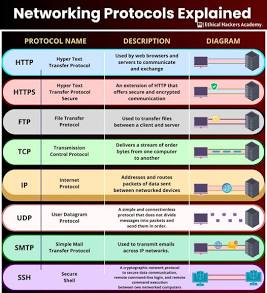
TOP 5 CORE NETWORK PROTOCOLS
- HTTPS

HTTP (HyperText Transfer Protocol) is basically the language of exchange between your browser and a website server.
HTTPS, on the other hand, is simply
HTTPS = HTTP + Security
It does the same thing as HTTP, but it encrypts the data (scrambles it), so hackers or third parties can’t access or steal your information
For better visualization, picture HTTPS like sending a sealed envelope; only the receiver can open it
For cybersecurity beginners, understanding this foundational network protocol is crucial for securing infrastructure, detecting attacks, and managing data integrity.
HTTPS secures web browsing (port 443) by encrypting traffic with TLS, this prevents eavesdropping on sensitive data.
HTTP follows a request-response model. A client (browser) makes an HTTP request to a server, which responds with content (HTML, images, API data, etc.).
Each request includes an HTTP method, which tells the server what action to perform
for instance
GET (retrieve data)
POST (send/create data, like logging in),
PUT (update existing data), and DELETE (remove data).
After processing the request, the server will reply with a status code, which tells us what happened.
A good example of a status code is the famous 404 PAGE NOT FOUND. I know I have encountered that one many times. Other codes include 200 (OK) and 500 (Server Error), which means something broke on the server.
These codes are very important in cybersecurity because most of the attacks happen online
2. TCP (Transmission Control Protocol) is a core transport-layer protocol.
What does it do? Well, it is responsible for error-free, reliable, and organized communication between devices on a network.
Before any data is sent, TCP establishes a connection through a process called the three-way handshake.
- SYN → Client wants to start communication
- SYN-ACK → Server acknowledges
- ACK → Client confirms
The client sends a SYN, which is a request to connect; the server replies with a SYN-ACK (acknowledging the request); the client responds with an ACK (confirming), and after this, communication begins. Once connected, TCP ensures that data is delivered in the correct order. It retransmits missing packets and maintains a stable session that’s why it is used for activities like web browsing, email, and file transfers. As a cybersecurity professional, it is essential to understand TCP because many attacks and defenses revolve around it. for example, session hijacking , which is essentially taking over active connections, or SYN flood attacks where the server is overwhelmed by abusing the handshake process, and how firewalls monitor and control connections. In short, TCP is the backbone of how systems communicate reliably on the internet, and without understanding it, it’s difficult to fully grasp how network traffic works or how attackers exploit it.
3. SSH (Secure Shell): This is the network protocol that allows you to securely access and control another computer (usually a server) over a network, even if you’re far away. It operates at the application layer and typically uses port 22. With SSH, you can remotely log into another machine’s command line in a way that is encrypted and protected from attackers. When using SSH, your device (client) connects to a remote server and establishes a secure, encrypted session using cryptography. During this process, the server proves its identity (to prevent you from connecting to a fake server), and then you authenticate yourself either with a username and password or, more securely, with SSH keys. SSH keys are a pair of a private key you keep and a public key stored on the server (cryptographic keys). Once authenticated, everything you type and everything the server sends back is encrypted, meaning no one on the network can read or tamper with it. Making it a secure alternative to Telnet
4. UDP (User Datagram Protocol) is a transport-layer protocol designed for fast, lightweight data transmission without establishing a connection between devices.
UDP provides faster, connectionless transfer, which is fundamental to network communication and firewalls. Unlike TCP, UDP does not perform the handshake process or maintain a session.
How UDP Works (Step-by-step)
- The sender creates a datagram (data + header)
- It adds basic info:
- Source port
- Destination port
- Length
- Checksum (for minimal error checking)
- The datagram is sent directly to the receiver
- No confirmation is received back
UDP is used in cases where speed is the priority
5. DNS (Domain Name System) is a fundamental internet protocol that acts like a translator or phonebook, converting human-friendly domain names (like google.com) into machine-readable IP addresses (like 142.250.x.x) so computers can find and communicate with each other. It operates at the application layer and typically uses port 53 over UDP (and sometimes TCP for larger responses). Without DNS, you would have to memorize IP addresses for every website.
cyber security course in nigeria,
Leave a Reply